ZoE Visual Patch Editor
A free and open source visual patch editor for the Empress ZOIA and Euroburo, modular synth and effects platforms.
If you love working with a visual editor, ZoE is made for you: a modern editor to build, edit, explore and debug patches, with an easy to use interface that stays quite fast even with large patches. Save the patch to the SD card, and it is ready to play. ZoE itself makes no sound: it edits the patch, your ZOIA or Euroburo plays it.
There is nothing to install: ZoE runs in a Chrome, Edge or Firefox web browser on macOS, Windows and Linux.
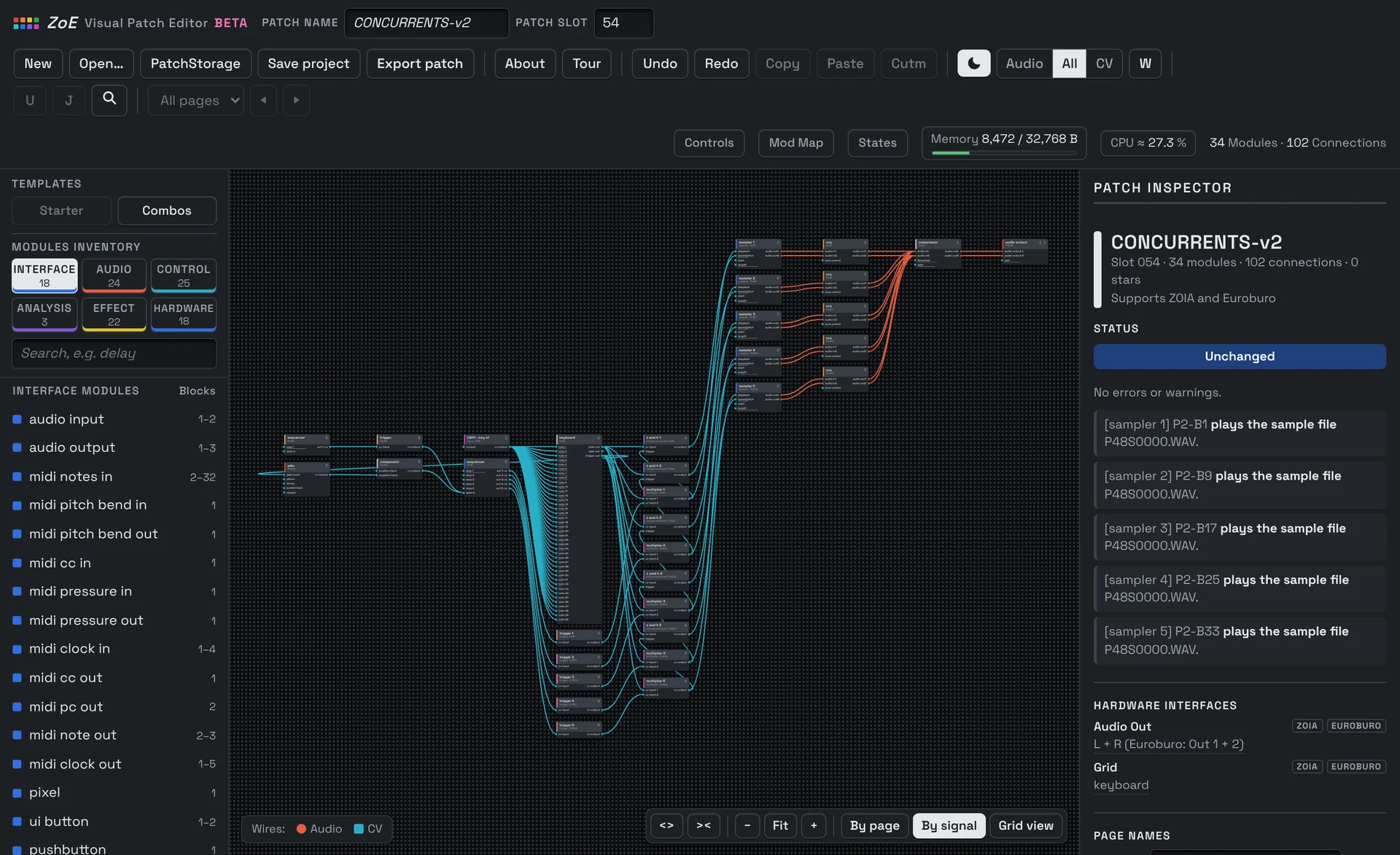
The grid stays the quickest way to play. ZoE helps with everything around it.
On the grid you see one page at a time, and a large patch soon spreads over many pages: it gets hard to keep track of what connects to what. The ZoE Visual Patch Editor does not replace your ZOIA or Euroburo for creating patches, but it is an ideal companion: for creating new patches quickly and effectively, and for changing or fixing old ones. It shows the whole patch at once and speaks their language. Because ZoE uses the same modules, options, pages and grid positions, what you learn about building a patch in ZoE also shows you how to build it directly on the grid.
Build
An empty patch can be a slow start. Begin with the module inventory, pick a Starter that is ready to play, or add Combos: small groups of modules that are already connected.
Edit
Raw numbers say little. Parameter values appear as on the display, in Hz, ms, dB, notes and scales. Inspect modules and their connections, and undo any change.
Explore
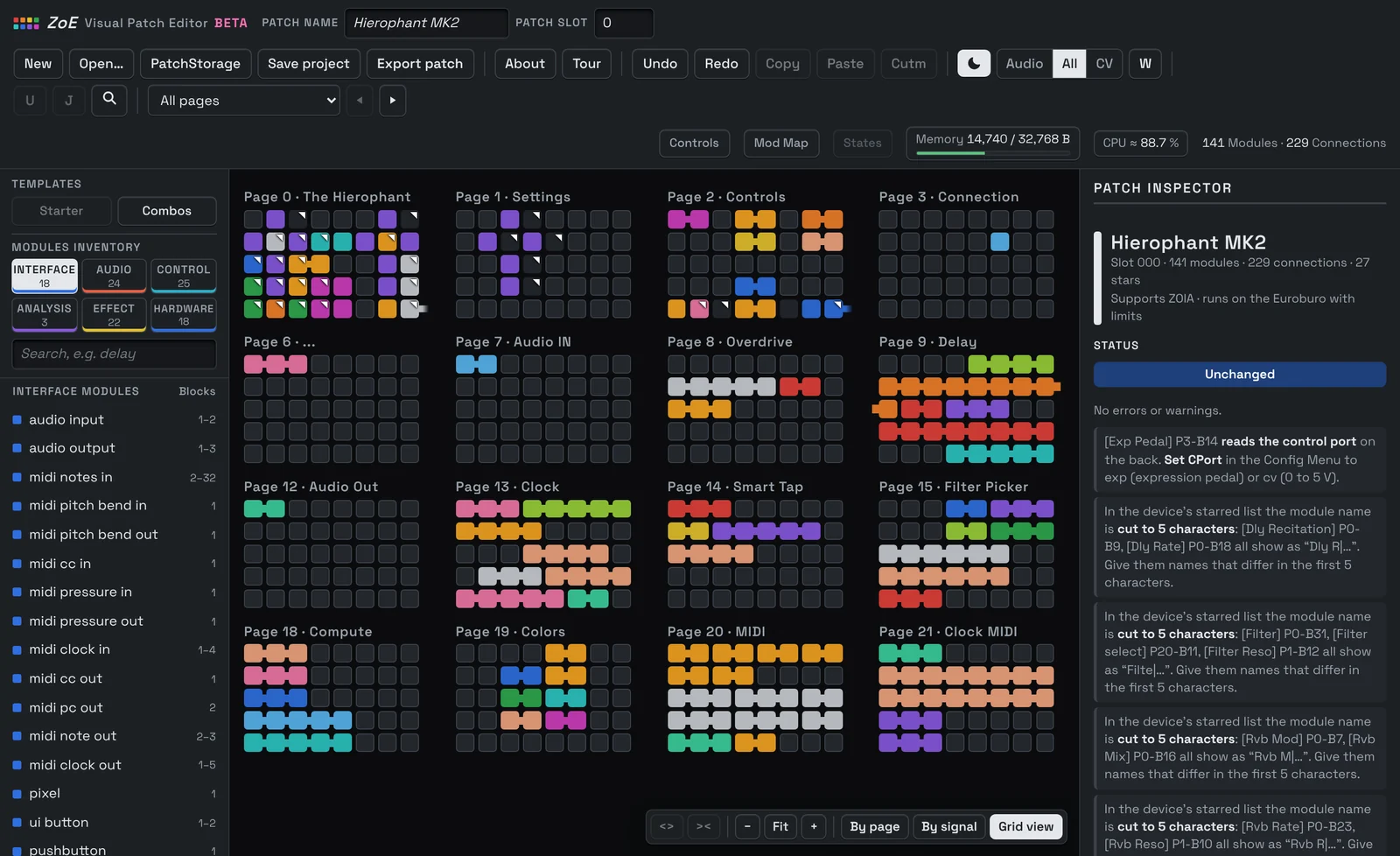
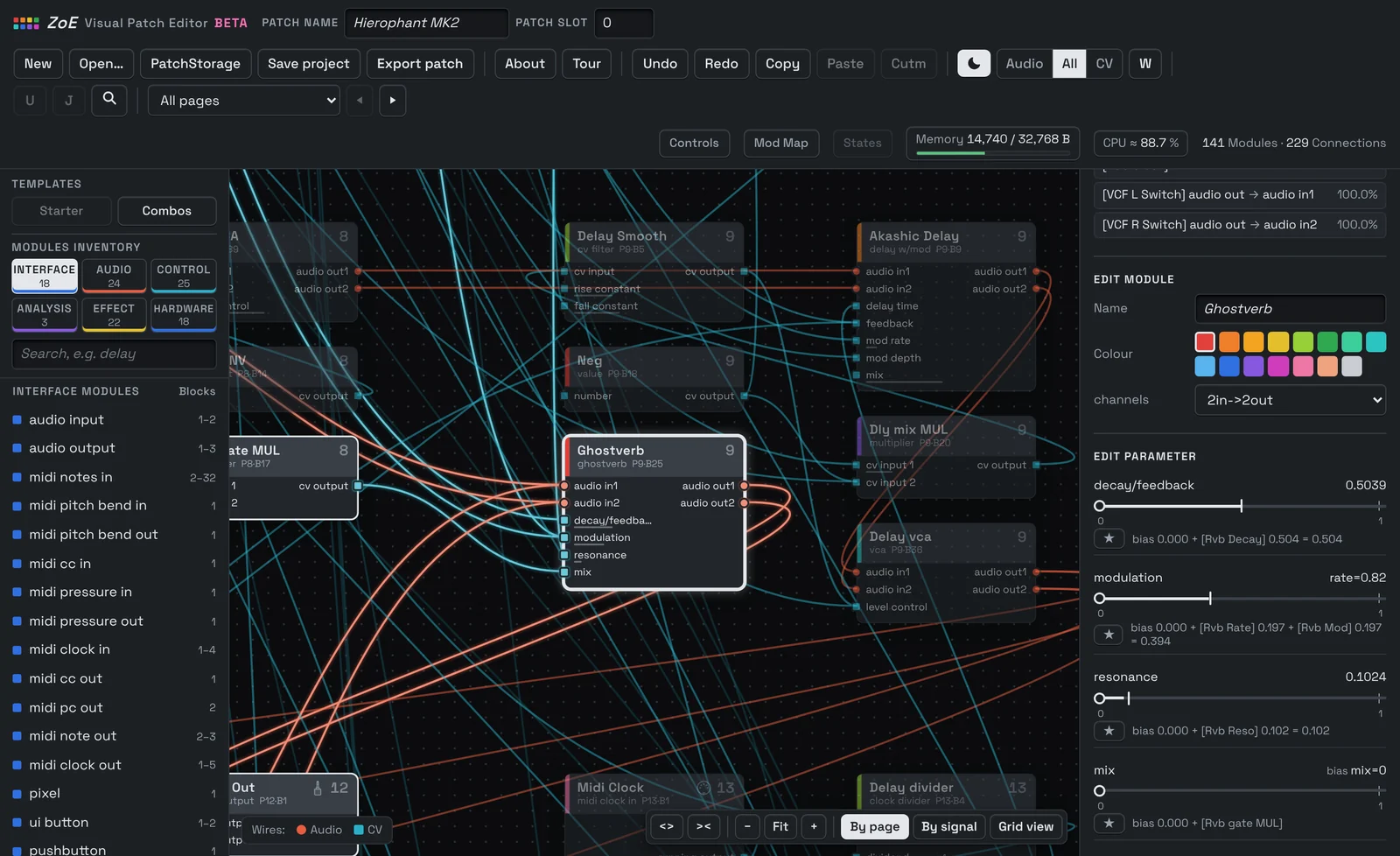
Large patches can be quite hard to read, even your own. Follow audio and CV paths and switch between Patch Map, page, signal and grid views.
Debug
Find problems that are easy to miss on the grid: signals leading nowhere, missing inputs, duplicate MIDI CCs, overlapping modules.
Export
Your ZOIA or Euroburo needs a valid .bin file in the right slot. ZoE helps you with preparing a checked patch file for your SD card, in the slot you choose, 000 to 063.
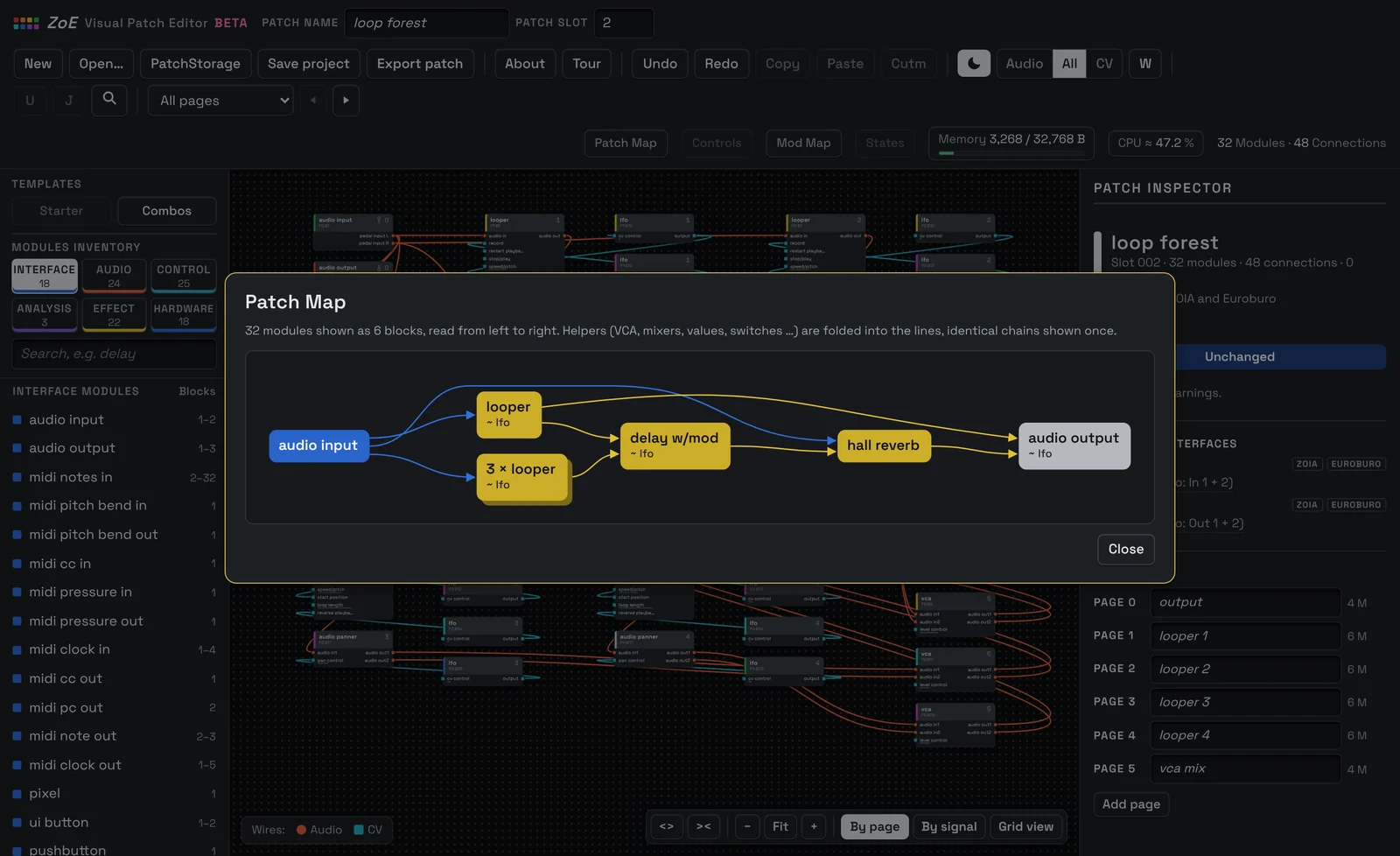
The big picture of any patch.
You come back to an old patch of your own that you have forgotten and want to change, or you open a very large patch for the first time: before you dive in, a first overview helps a lot.
The Patch Map gives you that overview. It shows a simplified view of the core components of a patch: what goes in, what is played, what makes and shapes the sound, and what comes out. Helpers such as VCAs, mixers, values and switches are folded into the lines, and identical voices are shown once. You see quickly how the patch works, and a click on a block takes you to its module if you directly want to start editing.
Work by page, by signal or on the grid. Switch any time.
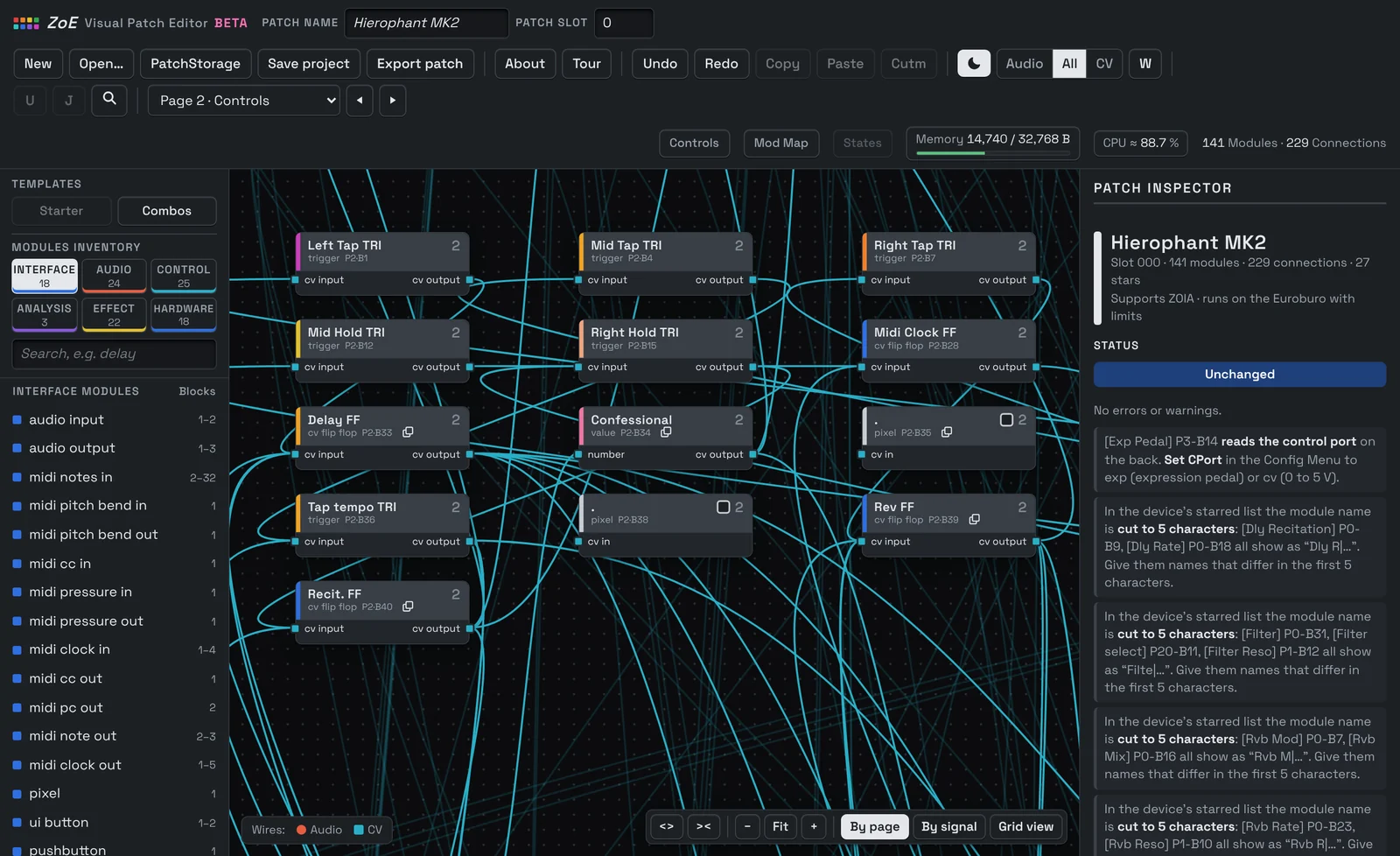
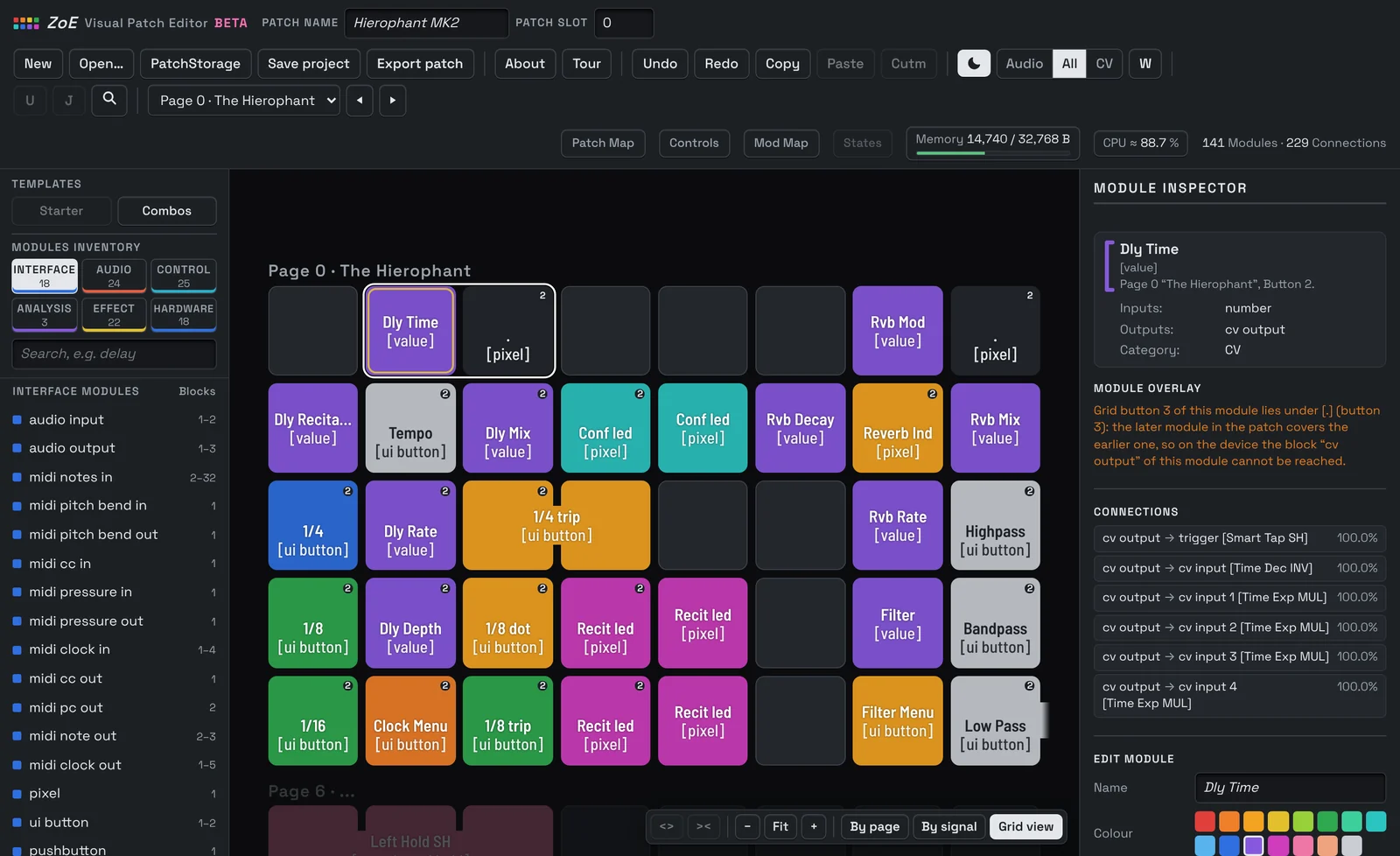
Sometimes you need to know where a module sits on the grid, sometimes how the signal flows, sometimes which button does what. That is why you always work in one of three views of the same patch: By page, By signal and Grid view.
Stay in one view if it suits you best, or switch between them at any time with P, S or G. Nothing gets lost, not even your selection: the selected module stays selected, so you find it again right away in every view.
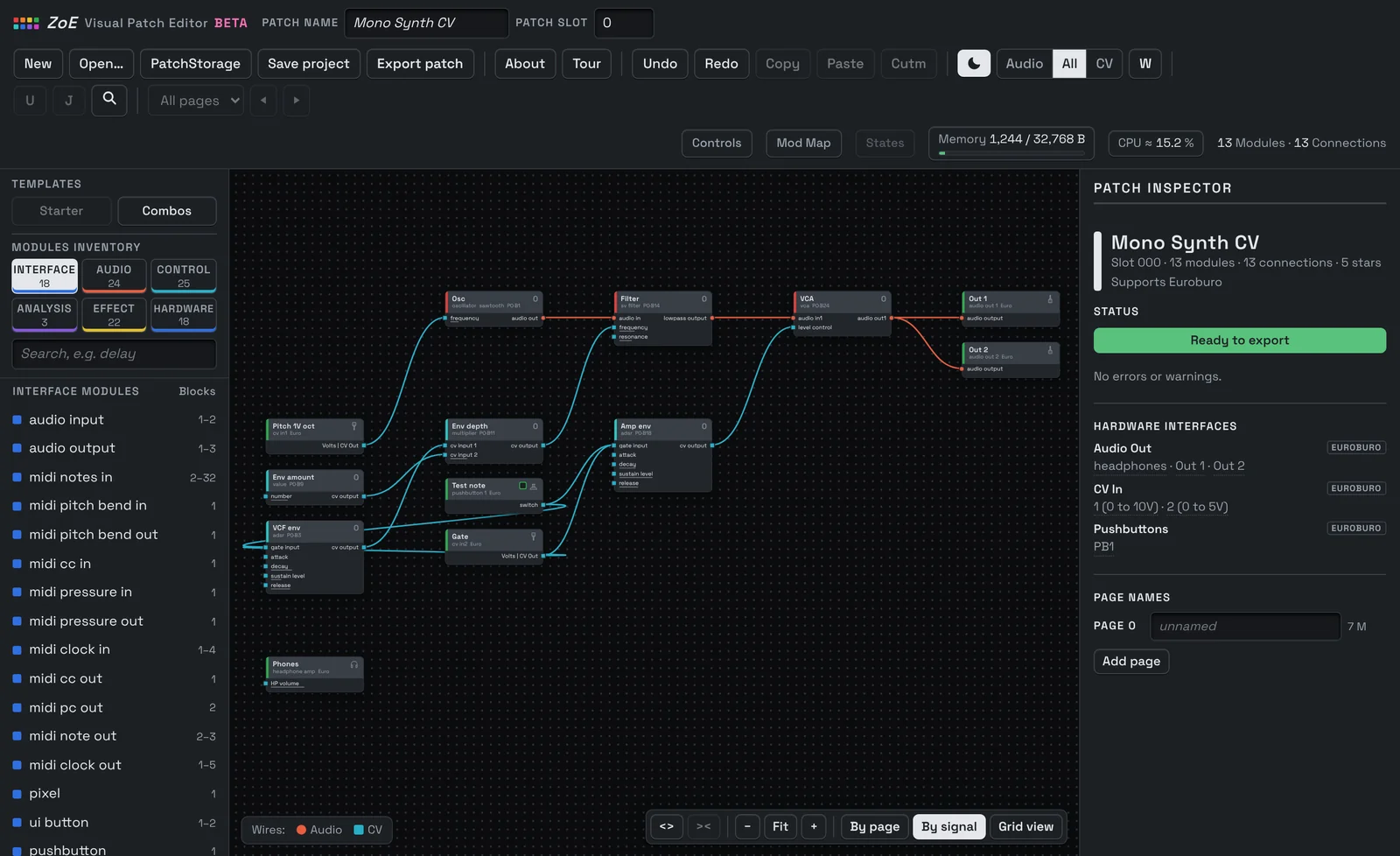
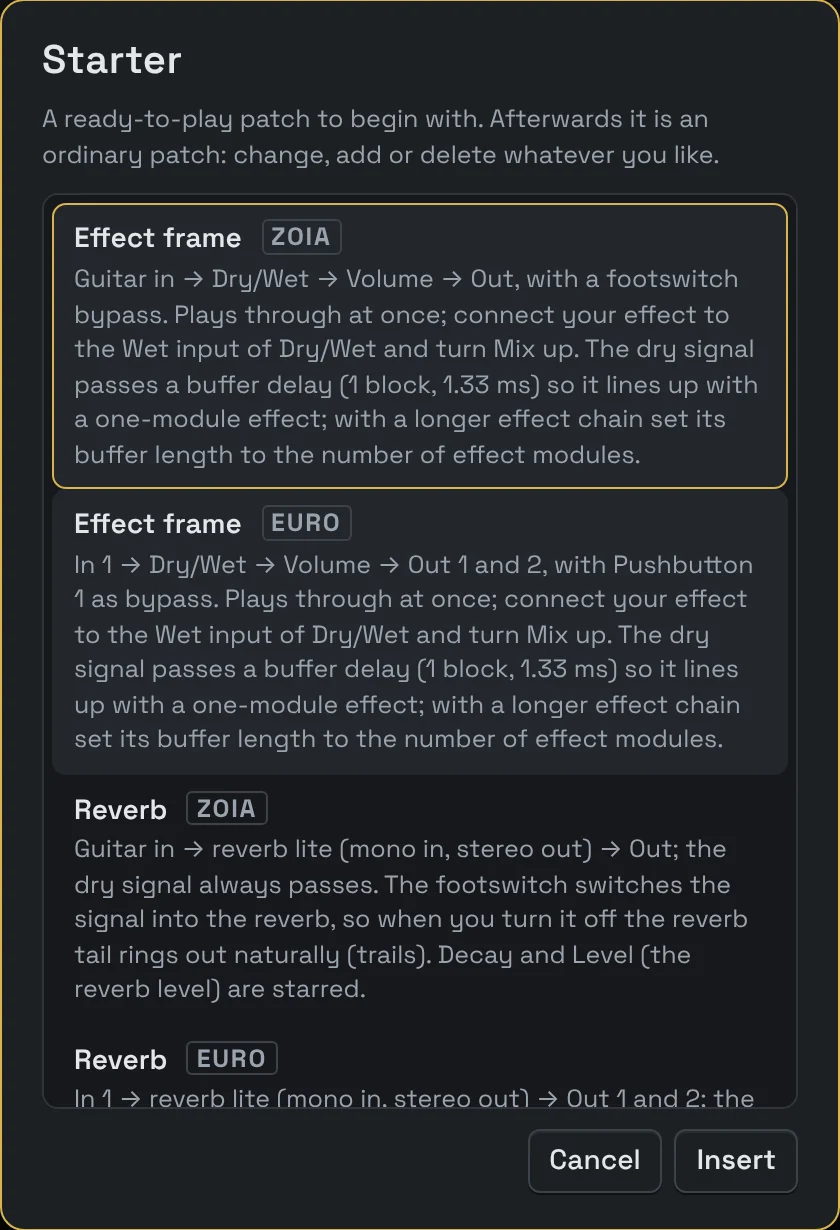
Start with a patch that already works on your ZOIA or Euroburo.
Starting from an empty patch takes time, and not every idea runs right away. Starters are complete patches for the ZOIA or the Euroburo: an effect frame, a reverb, a synth voice. Choose one under Templates, start customizing it right away and play it.
Many patches need the same small building blocks again and again. Combos drop a few connected modules into your patch, such as a tap tempo or an envelope with depth control. That makes building new patches very efficient and saves a lot of time.
Looking for a patch someone else has already built? Search with the fast and powerful integrated PatchStorage browser, with Zoiatheca integration, and open it directly in the editor.
Values the way your pedal or module shows them.
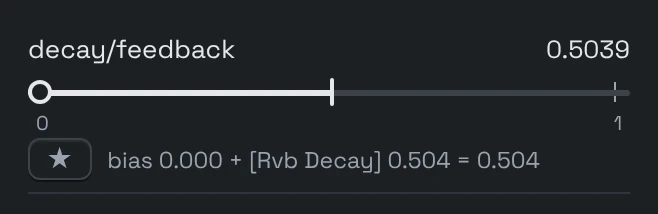
Switching between an editor and the hardware is confusing when names and values differ. The inspector follows the Edit Module and Edit Parameter menus on the hardware: the same option names, values, order and help texts.
When a connection drives a parameter, ZoE shows what the display shows: the knob setting and the value that actually arrives. ZoE calculates it from the patch; it does not listen to live signals.
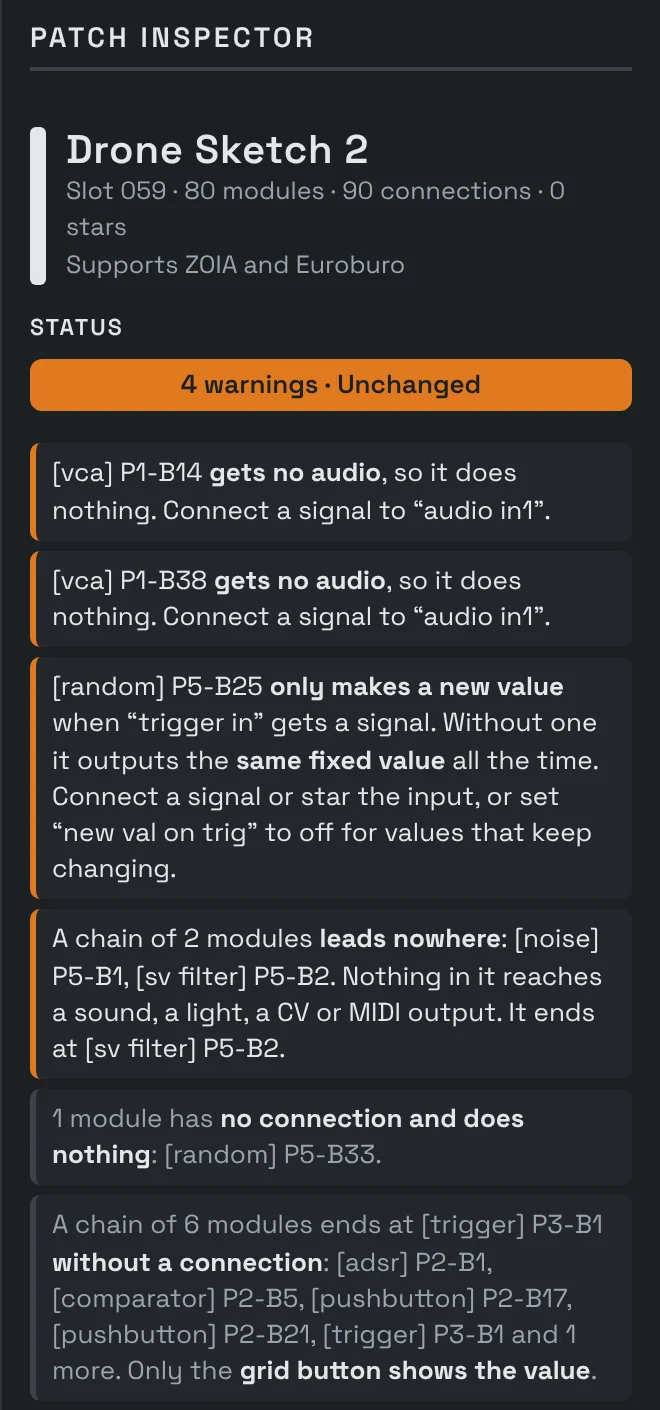
Problems you’ll find faster here than by ear.
Some mistakes do not show up as a sound you notice right away: a module whose signal leads nowhere, a MIDI CC used twice, a patch too heavy for the CPU. ZoE checks the patch while you build and explains what it finds in plain words, with a link to the module.
- Connections: unused modules, missing inputs, signals leading nowhere, duplicate connections, MIDI CCs used twice, audio reaching only one side of the output
- Timing: parallel audio paths of different length that can cancel frequencies, at 1.33 ms per module
- Layout: overlapping modules, and modules running past the end of a page, with blocks hidden under the page, BACK and SHIFT buttons or past the grid, where they still work through their connections
- Loading: what the ZOIA and Euroburo would skip on import: patches too large, and modules on pages above 63 or starting on grid buttons above 40
- Resources: memory use and a CPU estimate calibrated on readings from real ZOIA and Euroburo hardware. From 95 % ZoE tells you the patch is close to the limit, from 105 % that it will probably stutter or drop out, from 125 % that it may crash the pedal or module when it loads.
New here? From the browser to your ZOIA or Euroburo in five steps.
Open ZoE
In a browser on your laptop or desktop. Nothing to install.
Pick a Starter
Click New, then Starter under Templates. Choose a patch that is ready to play, such as “Effect frame” and build your own guitar effect into it.
Explore and tweak
Click a module to see its options and parameters. The Tour explains the rest.
Export
Click Export patch and save the file on your SD card.
Play it
Import the patch on your pedal or module and play. And do not forget to share your patches on patchstorage.com.
A ZOIA patch editor and a Euroburo patch editor in one.
The ZOIA and the Euroburo share most modules, but not their hardware: a patch that uses the footswitches needs changes before it runs on the Euroburo, and one that uses the Euroburo’s pushbuttons or CV jacks needs changes on the ZOIA. ZoE marks modules that only work on one of the two and shows how well each patch suits either. Module, option and block names are the same as on the hardware.
- ZOIA (pedal): footswitches left, middle and right · control port for an expression pedal, a footswitch, CV in and out, MIDI in and out
- Euroburo (Eurorack module): 2 pushbuttons with LEDs · 4 × CV in · 4 × CV out · audio in and out, L/R · headphones
Your patches stay yours.
Your patches are your work, and they should not have to leave your computer. Everything happens in your browser. Nothing is uploaded: ZoE reads your patch files on your computer and writes them back there. Save your work as a project, layout included, and export single patches for the SD card.
ZoE Visual Patch Editor is free software under the GNU General Public License v3.0. You may use, copy and share it freely, and the source code is the page itself.
Why free? I built ZoE because I wanted it for my own patches. It is a gift back to the community that shares so many great patches.
- Licence
- GNU General Public License, Version 3
- Runs on
- Laptops and desktops in a current browser. Unfortunately it does not work on smartphones and tablets: you need a large screen and a touchpad or mouse to enjoy it fully.
- Sound
- None in the browser. ZoE edits patches, your pedal or module plays them.
- Firmware
- Keep your ZOIA or Euroburo on the latest firmware to use all features.
Who made this?
By day I’m an engineer, somewhere between software development, electronics engineering and interface design. The rest of the time I’m a music nerd, happiest when I’m listening to vinyl, playing my bass or getting lost in my synth setup.
I also need to see things to understand them, and I kept losing my way in my own patches. So I did what engineers do and built myself a tool: a graphical editor where I can see the whole patch at once and build things faster. Along the way I learned more about the ZOIA and Euroburo than I ever expected to.
ZoE started as a small side project and has been through quite a few revisions over the years. Now it really feels complete and capable and does what I always wished for. I’m very happy with it, and it felt like time to share it.
I hope you have as much fun with it as I do.
Adrian